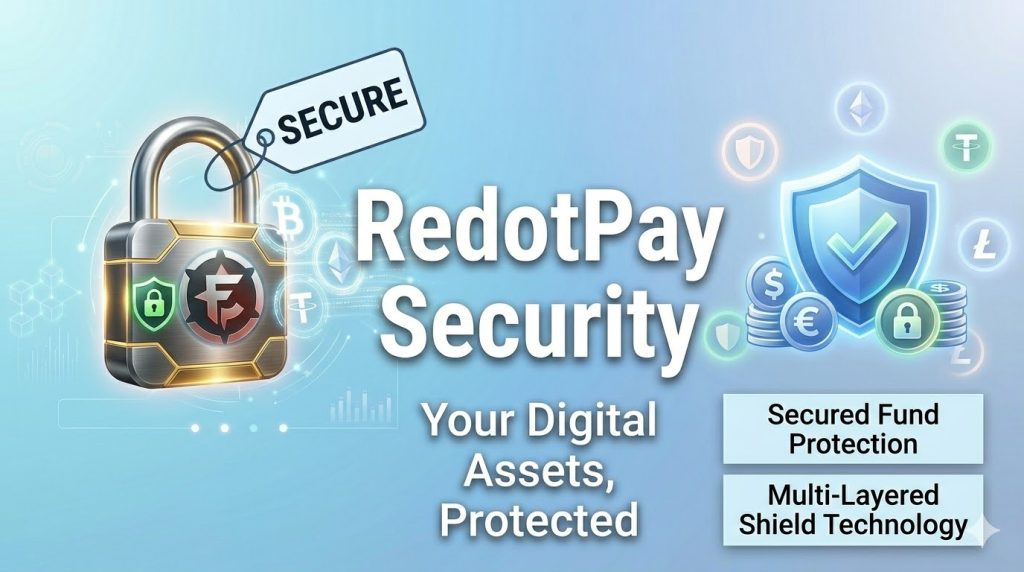
Understanding RedotPay Security: How Your Funds Are Protected
Last Updated: February 2026 | Sources: RedotPay official documentation, regulatory filings
Before putting money on any platform, understand how it’s protected. Here’s what actually safeguards your funds on RedotPay—not marketing speak, but specific mechanisms.
Regulatory Oversight
US Money Services Business License
RedotPay holds an MSB registration with FinCEN (Financial Crimes Enforcement Network).
What this means:
- Subject to federal anti-money laundering regulations
- Required to maintain compliance programs
- Regular reporting to regulators
- Audited financial practices
Limitation: MSB registration is not a bank charter. Funds are not FDIC insured.
Hong Kong Licensing
RedotPay operates under Hong Kong’s regulatory framework for stored value facilities.
What this means:
- Capital requirements maintained
- Customer funds segregation rules apply
- Regular compliance reporting
- Local regulatory oversight
Asset Custody
Cactus Custody Partnership
RedotPay does not hold your crypto directly. Assets are custodied by Cactus Custody, a licensed trust company.
Cactus Custody credentials:
- Hong Kong Trust Company license
- $42M+ insurance coverage
- FIPS 140-2 Level 3 HSM (Hardware Security Module) key storage
- Multi-signature wallet architecture
What this means practically:
Your private keys are stored in hardware security modules that meet military-grade standards. Multiple signatures required for any large transfer. Insurance covers certain types of losses.
What it doesn’t mean:
Not your keys, not your crypto still applies. You don’t control the private keys. RedotPay/Cactus does.
Insurance Coverage
What the $42M Covers
The insurance policy protects against:
- Theft of private keys
- Security breaches
- Employee dishonesty
- Physical damage to infrastructure
What it doesn’t cover:
- Market losses (crypto price drops)
- User error (sending to wrong address)
- Personal account compromise (phishing)
- Regulatory seizure
Important distinction: This is corporate insurance, not individual account insurance. Payouts go to the company, not directly to users in most scenarios.
Technical Security Measures
Account Protection
Two-factor authentication (2FA):
- SMS verification
- Email verification
- App-based authentication
Biometric security:
- Fingerprint login (mobile)
- Face recognition (supported devices)
- Pattern/PIN fallback
Session management:
- Automatic timeout
- Device recognition
- Suspicious activity alerts
Transaction Security
3D Secure:
- Additional verification for online purchases
- One-time codes via app or SMS
- Prevents unauthorized card use
Spending controls:
- Daily limits
- Monthly limits
- Per-transaction limits
- Geographic restrictions
Real-time monitoring:
- Unusual pattern detection
- Velocity checks
- Merchant category monitoring
User-Side Security Responsibilities
RedotPay provides tools. You must use them correctly.
Essential Practices
Strong, unique password:
- Minimum 12 characters
- Mix of letters, numbers, symbols
- Not reused from other sites
- Changed every 90 days
Enable all available 2FA:
- Don’t rely on SMS alone
- Use app-based when possible
- Keep backup codes secure
Secure your email:
- Email compromise = account compromise
- Use strong password + 2FA on email
- Monitor for unauthorized access
Device security:
- Keep phone OS updated
- Don’t jailbreak/root
- Use device lock (PIN/biometric)
- Don’t install unknown apps
Common Attack Vectors
Phishing:
- Fake emails claiming to be RedotPay
- Fake apps in app stores
- Fake support accounts on social media
Protection: Only use official app and website. Verify URLs. Don’t click email links.
SIM swapping:
- Attacker takes over your phone number
- Intercepts SMS 2FA codes
- Gains account access
Protection: Use app-based 2FA instead of SMS. Contact carrier to add SIM change protection.
Malware:
- Keyloggers capture passwords
- Screen recorders capture 2FA codes
- Clipboard hijackers replace addresses
Protection: Keep devices clean. Don’t install cracked software. Use reputable security apps.
What Happens If RedotPay Fails
Scenario: Company Insolvency
RedotPay claims customer funds are segregated from company operating funds.
In theory: Your crypto remains yours, accessible even if company fails.
In practice: Recovery process unclear. No precedent for this specific structure.
Risk level: Moderate. Regulatory oversight provides some protection, but not guaranteed.
Scenario: Security Breach
If Cactus Custody is compromised:
- Insurance may cover losses
- Multi-sig architecture limits single-point failure
- Historical response would be critical
Risk level: Low for catastrophic loss, moderate for partial loss.
Scenario: Regulatory Action
If regulators freeze operations:
- Funds could be temporarily inaccessible
- Legal process required for recovery
- Timeline uncertain
Risk level: Low probability, high impact if occurs.
Comparison: RedotPay vs Self-Custody
| Aspect | RedotPay | Self-Custody Wallet |
|---|---|---|
| Key control | Company holds | You hold |
| Insurance | $42M corporate | None |
| Convenience | High | Moderate |
| Recovery options | Account recovery | Seed phrase only |
| Regulatory protection | Some | None |
| User error protection | Some | None |
| Censorship resistance | Low | High |
No universally correct choice. Depends on your priorities.
Security Checklist for New Users
Before depositing significant funds:
- [ ] Enabled 2FA (preferably app-based)
- [ ] Set strong, unique password
- [ ] Secured associated email account
- [ ] Reviewed and set spending limits
- [ ] Enabled biometric login if available
- [ ] Saved backup/recovery codes
- [ ] Verified official app (check developer, reviews)
- [ ] Read and understood fee structure
- [ ] Understood “not your keys” implications
- [ ] Started with small amount to test
Red Flags to Watch
Immediate concerns:
- Unsolicited contact claiming to be support
- Requests for password or 2FA codes
- Pressure to act quickly
- Requests to install remote access software
- Promises of guaranteed returns
Official RedotPay will never:
- Ask for your password
- Ask for your 2FA codes
- Ask you to install remote access tools
- Contact you via WhatsApp or Telegram unsolicited
The Bottom Line
RedotPay implements reasonable security measures:
- Regulatory compliance
- Professional custody
- Insurance coverage
- Technical protections
But ultimately, you’re trusting a third party with your assets. This is a trade-off for convenience.
Appropriate for: Daily spending amounts, experimentation, convenience-first users
Not appropriate for: Life savings, long-term storage, maximum security needs
Use RedotPay for what it’s designed for: spending crypto in the real world. For storage, consider self-custody options.
Security features and insurance terms subject to change. Verify current status with official sources before making decisions.